
Create a combo
A combo bundles several services into a single package, usually with a discount: a simple way to increase the ticket and ease the sale (e.g. Bath + Grooming + Moisturizing). Here’s how to create one.
How much can one visit really carry? #

One service is leaving money out
When the client only takes the bath, the rest stayed on the shelf.
“The client is already here. The real question is how much they leave with.”
In the daily rush, the client asks for a bath and that's it, the matching hydration, the sanitary trim, the dental brushing get left out because bundling and pitching them at the counter is extra work. Every visit ends up leaner than it could be, and no one notices how much that adds up by month's end.
With Combos, you bundle the services that naturally go together into a single discounted package, and the client feels they're getting a great deal by taking more. The combo shows up ready at checkout and booking, and can even be offered by the chatbot on WhatsApp, with the discount already calculated for each pet's size and coat.
Step 1: Open Combos
Section titled “Step 1: Open Combos”Go to Settings (it will ask for the admin password) and, in the side menu, Registers → Combos. Pick the segment tab (Pet Shop, Clinic or Daycare/Hotel) and click ⊕ New combo.
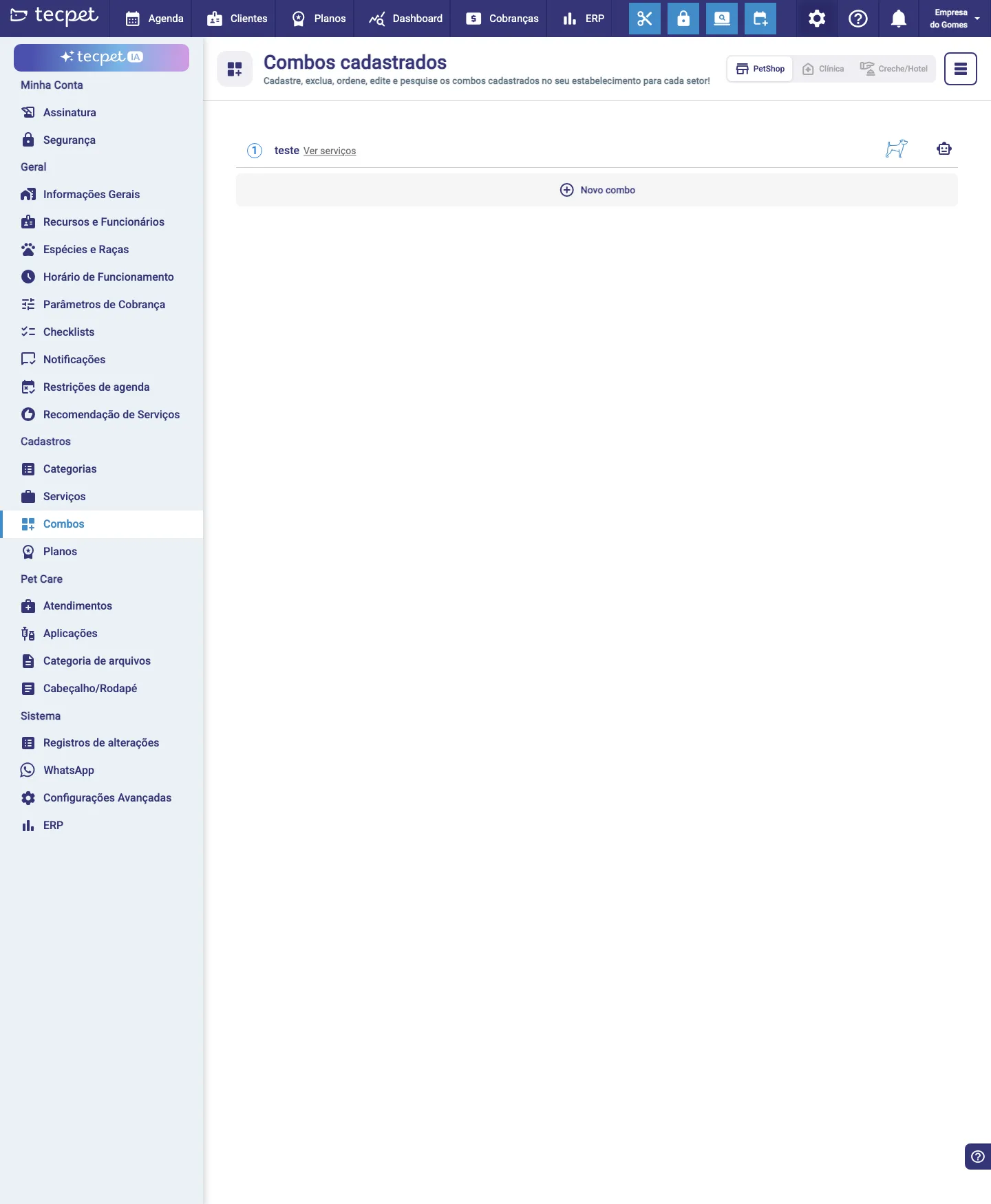
Step 2: Fill in the combo
Section titled “Step 2: Fill in the combo”In the New combo form:
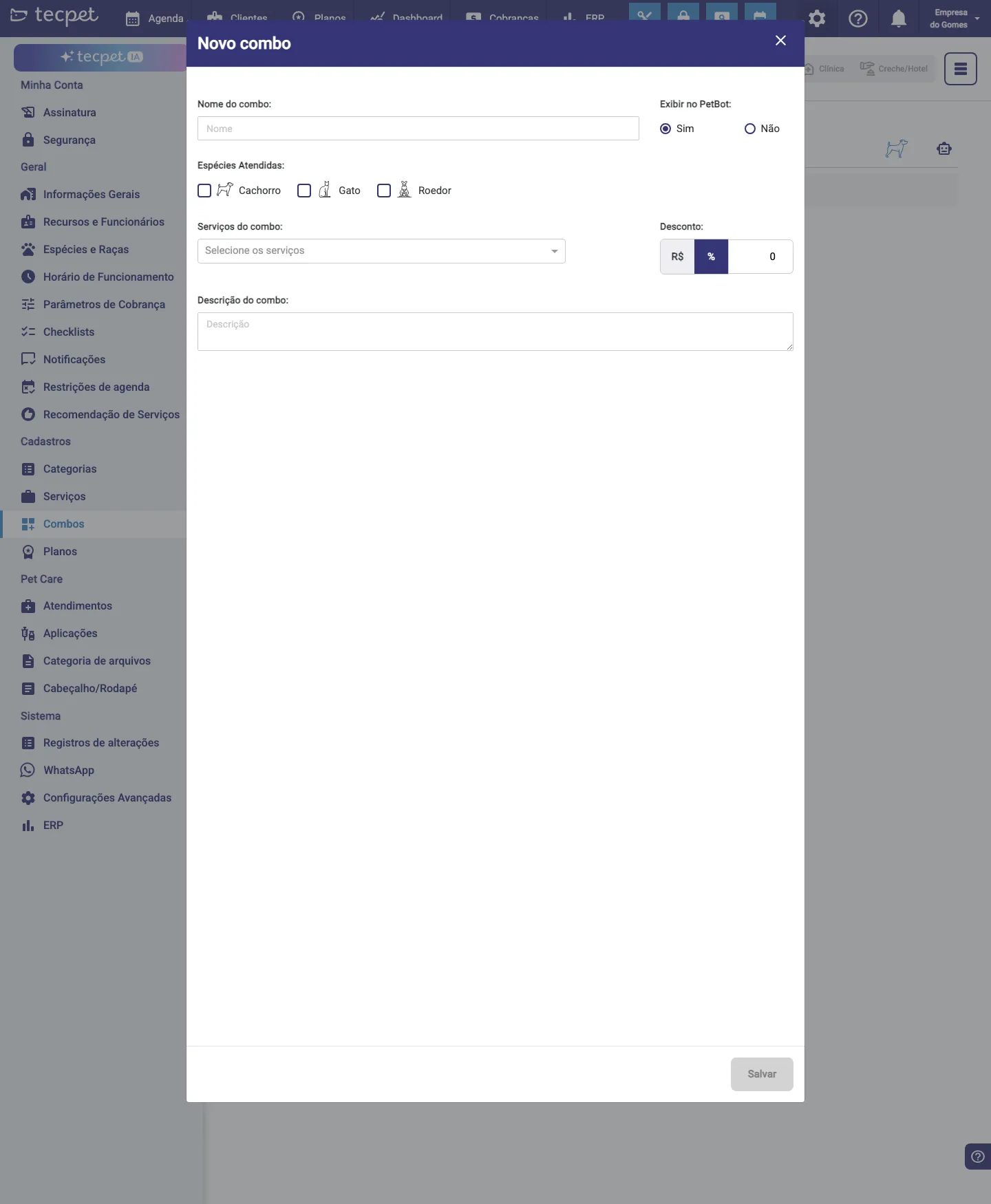
- Combo name: how it shows on the sale/appointment;
- Show on PetBot (Yes/No), whether the combo is available for the chatbot to offer. The tecpet AI does not offer combos — for it this field changes nothing;
- Served species: Dog, Cat, Rodent (which species the combo applies to);
- Combo services: select the services that make up the combo (you can pick several);
- Discount: in R$ or %, applied over the sum of the services;
- Combo description: free text that helps the customer and the chatbot understand the package.
Step 3: Save
Section titled “Step 3: Save”Click Save. The combo becomes available in scheduling and sales, under the Combos tab.
How the combo price is calculated
Section titled “How the combo price is calculated”The combo price is the sum of the services that compose it (already considering the pet’s size and coat) minus the discount you set. So, even with size-based prices, the combo discount is applied automatically for each pet.
How to edit a combo
Section titled “How to edit a combo”On the Combos screen, click the combo to edit it (change services, discount or description) or remove it. The changes apply to the next appointments and sales.