
My Account: subscription, users and security
My Account is the first group in Settings and answers three everyday questions: what you contracted and how much room is left in the limits (Subscription), who has access to the system (Users) and how to change your password (Security). It is also where quick purchases, invoices and AI credit top ups happen.
Step 1: open Settings and go to My Account
Section titled “Step 1: open Settings and go to My Account”Click the gear at the top of the screen to open Settings. If it asks for the 6 digit admin password, type it. In the left menu, the My Account group has two items: Subscription and Users.
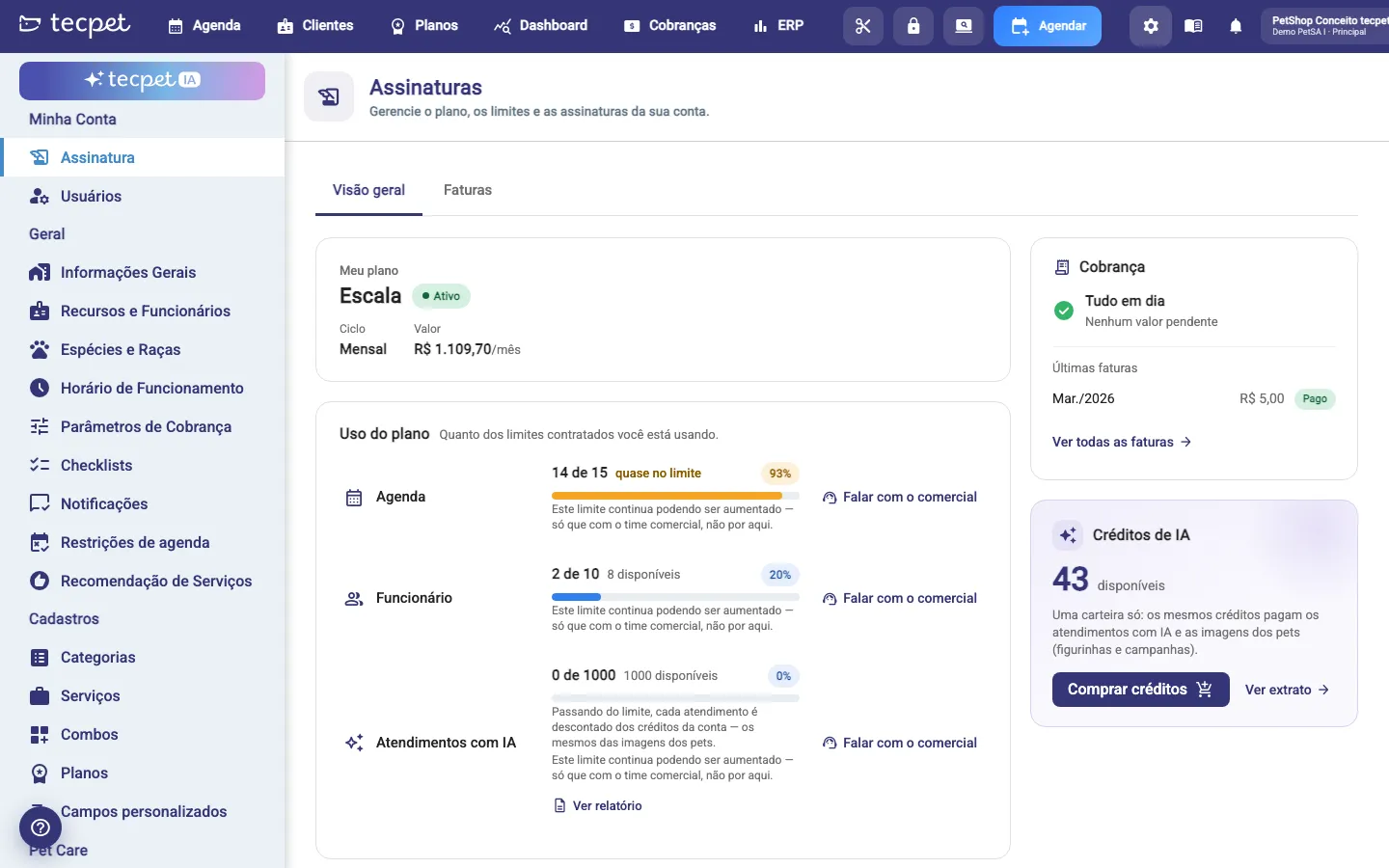
The Subscription screen opens on Overview, with your plan, the usage of your limits, the purchase showcase and, on the right, billing and AI credits. The second tab is Invoices.
My plan: what you contracted
Section titled “My plan: what you contracted”The first card shows the plan name (e.g. Escala, Individual, Pro ERP Completo), the status (Active, Overdue, Blocked, Trial expired), the Cycle (Monthly or Yearly) and the monthly Value. Under What’s included you open the list of contracted modules with the quantity of each one.
The Value only shows for whoever pays the bill: in a chain with a unified subscription, the branch does not see that number.
Plan usage: how much of the limits you already used
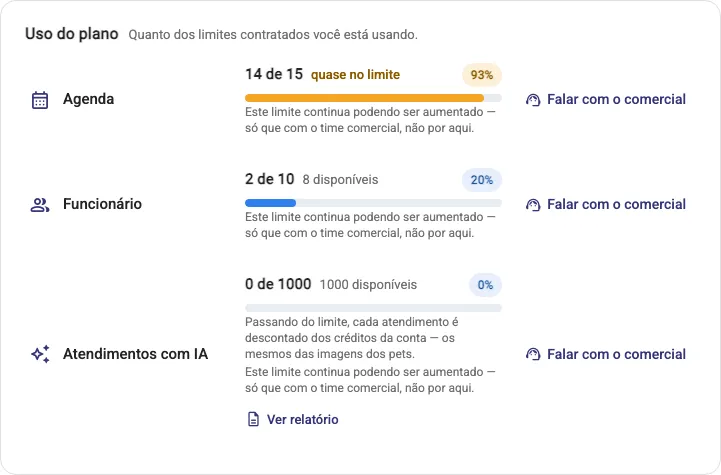
Section titled “Plan usage: how much of the limits you already used”Each row is a resource with a contracted limit (Calendar, Staff, AI service interactions, Chatbot, among others). The bar shows X of Y, the percentage and the current warning:
- N available: there is still room;
- almost at the limit: from 80% usage on, the increase button is highlighted;
- at the limit: it reached 100% and the resource goes no further;
- N over the limit: it already passed what was contracted, with an alert at the top of the screen.
The action sits on the right of each row. When the resource has a unit price, Increase limit appears and takes you to checkout with the module already selected. When it does not, Talk to sales appears and opens the chat with the tecpet team: the limit can still be raised, just with sales and not from here. AI service interactions also has View report, with the interactions consumed.
An important detail about AI: past the limit, each interaction is deducted from the account credits, the same ones used for pet images.
Grow your plan: buying without opening a ticket
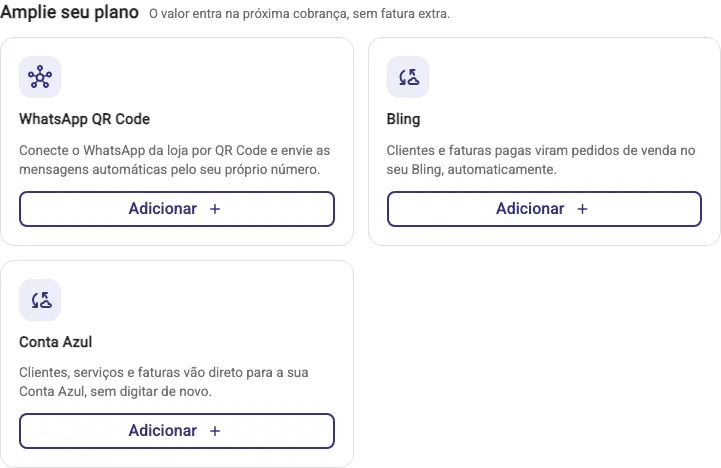
Section titled “Grow your plan: buying without opening a ticket”Right below is the Grow your plan showcase, with the note that the amount goes into the next charge, with no extra invoice. These are cards for what your store does not have yet:
- Add goes straight to checkout and activates the resource in your subscription. Sold this way today: Plan and Package, Pet Care, Commissions, WhatsApp QR Code and the Bling and Conta Azul integrations;
- Talk to sales opens the chat with tecpet. That is the path for AI service interactions and Petbot, which depend on a plan change;
- Learn more, on the Integrations card, takes you to the integrations screen.
Whoever already has AI does not see the Petbot offer, and whatever your chain does not sell never shows up in the showcase.
WhatsApp QR Code: read the risks before buying
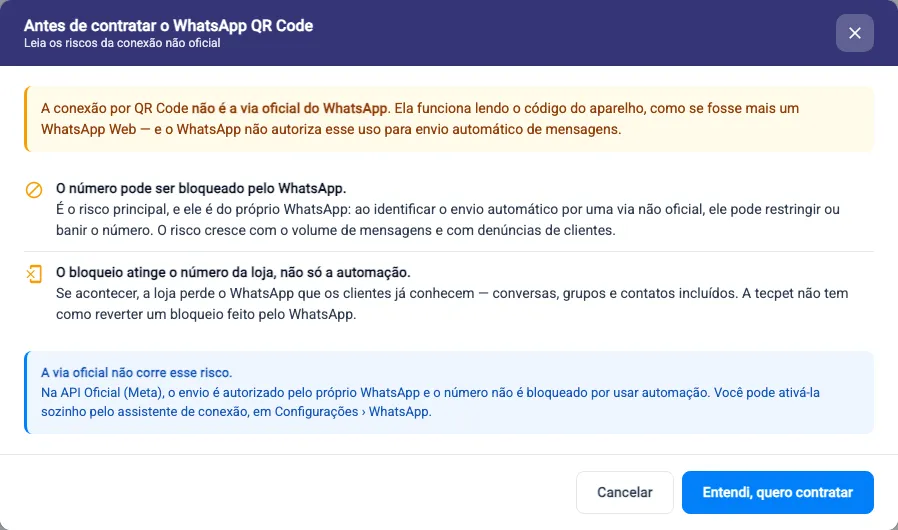
Section titled “WhatsApp QR Code: read the risks before buying”When you click Add on the WhatsApp QR Code card, a warning shows up before checkout: this connection is not the official WhatsApp channel. It works by reading the code on the device, like one more WhatsApp Web, and WhatsApp does not authorize that use for automatic sending.
What is at stake: the number can be blocked by WhatsApp, the risk grows with message volume and with customer reports, and the block hits the store’s number entirely (conversations, groups and contacts), not only the automation. tecpet cannot reverse a block made by WhatsApp.
The alternative without that risk is the Official API (Meta), which you can enable yourself under Settings > WhatsApp. Only after I understand, I want to buy does the checkout open.
Billing and AI credits
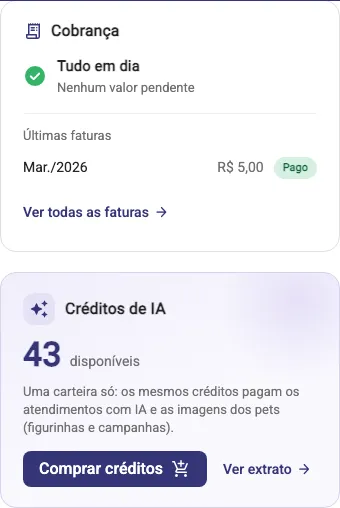
Section titled “Billing and AI credits”In the right column, the Billing card sums up your financial situation: All clear or Payment pending with the open amount, the next charge with its date, the latest invoices and the See all invoices link.
Just below, AI credits shows the available balance. It is a single wallet: the same credits pay for the AI service interactions that go past the plan limit and for the pet images (stickers and campaigns). Use Buy credits to top up and View statement to see where they went.
Invoices tab: history and payment
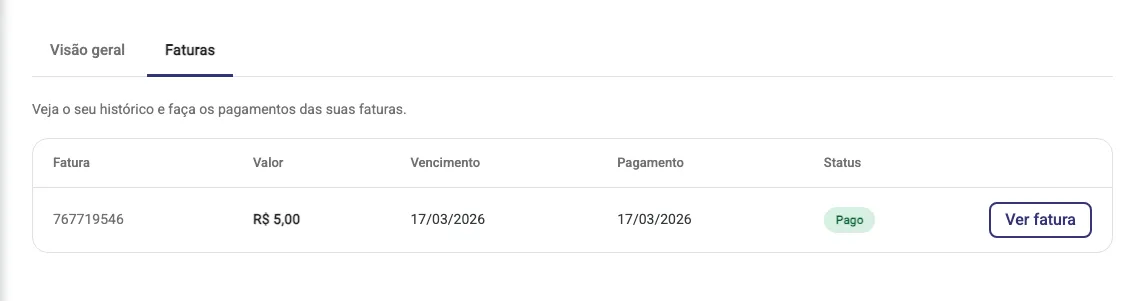
Section titled “Invoices tab: history and payment”The Invoices tab lists your history with Invoice, Value, Due date, Payment and Status. On each row, use View invoice to open the document or Pay invoice when it is overdue. If there is no charge yet, the list shows up empty.
Users: who gets into the system
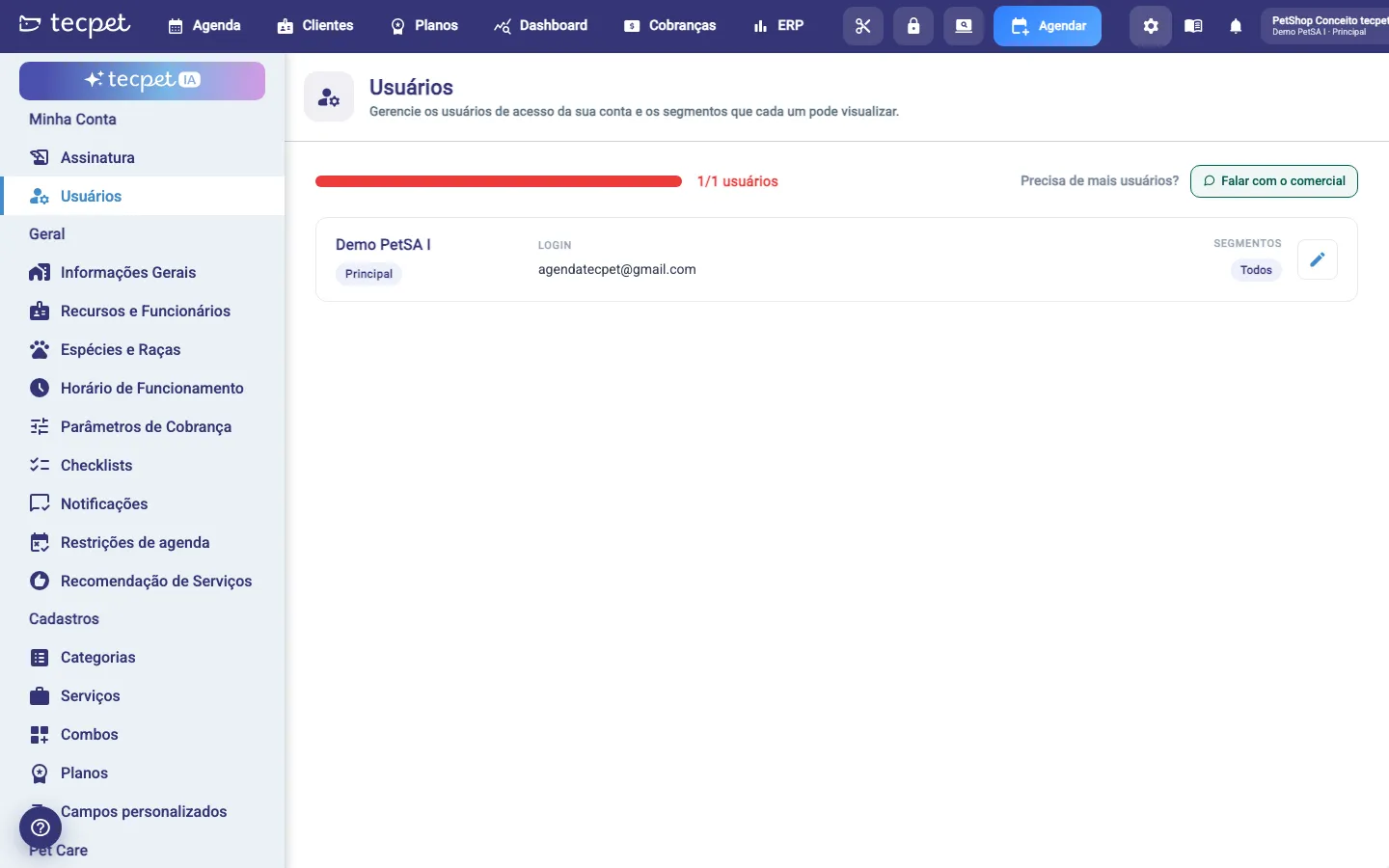
Section titled “Users: who gets into the system”Users holds the account’s access logins and the segments each one can see. At the top, the bar shows how many users you already use out of the contracted total; next to it, Talk to sales to ask for more.
Each row brings the name, the Main tag on the account owner, the login and the allowed segments. The pencil opens the edit screen, where you adjust data, segments and also set that user’s password. When creating or changing someone else’s password, it needs at least 8 characters, with uppercase, lowercase, a number and a special character.
Security: changing your password
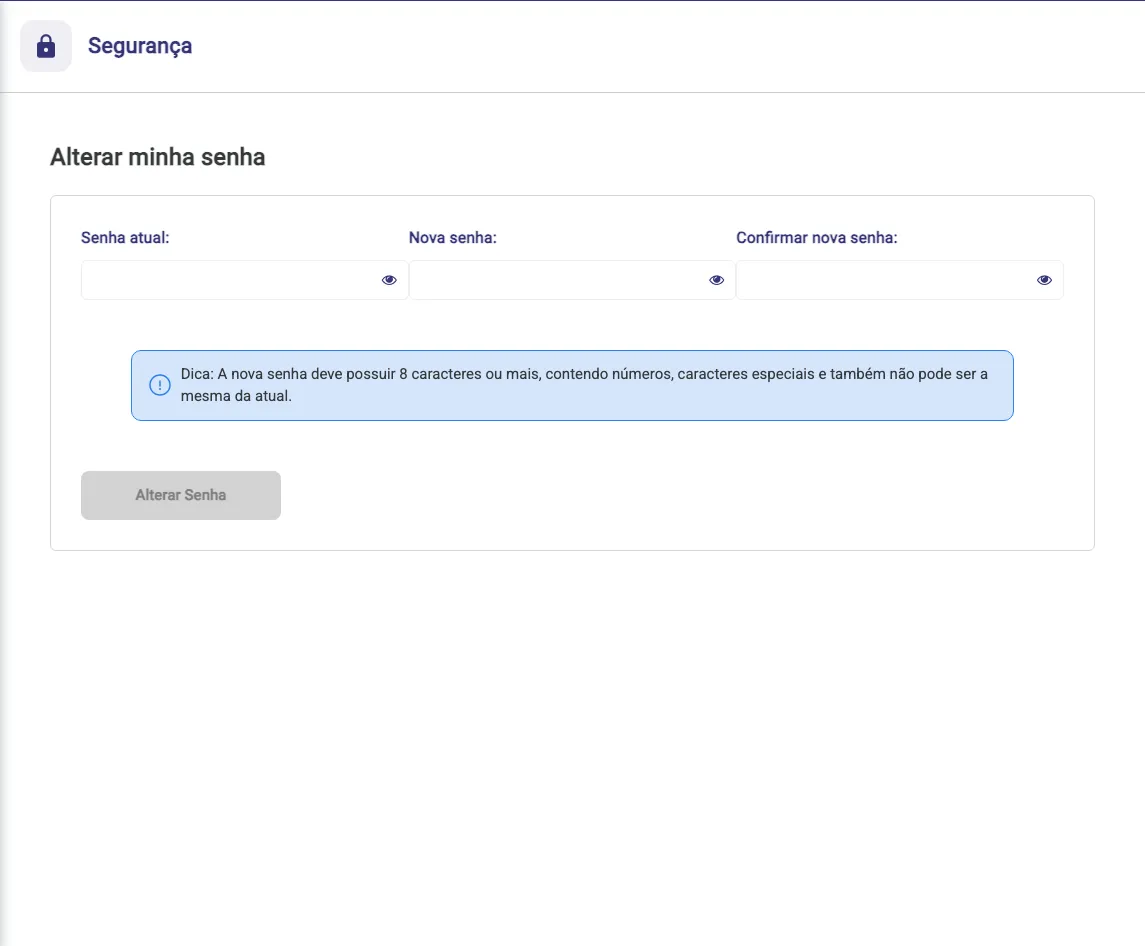
Section titled “Security: changing your password”Changing your password lives under Security, which you reach from the user menu at the top (Change password) or by editing your user under Users. Enter the current password, the new password and confirm it. The Change password button only enables with all three fields filled, and the confirmation must match the new password.
The new password must have 8 characters or more, with numbers and special characters, and cannot be the same as the current one. If the current password is wrong or the new one breaks the rule, the system warns you and nothing changes.
See also
Section titled “See also”- How the chain works: head office and branches
- Connect WhatsApp through the Official API
- What integrations are
- Advanced settings
- The top menu
How it changes in your account
Section titled “How it changes in your account”The store pays for its own subscription, so the screen comes complete: Invoices tab, monthly value, Grow your plan, limit increase when the resource has a price, and AI credits.
Branch of a chain
It depends on how the chain was contracted. If the subscription is unified (the head office pays for every store), the branch sees a notice at the top saying the subscription is managed by the head office account and the screen becomes read only: no Invoices tab, no monthly value, no Grow your plan and no increase button. Plan usage is still shown, and AI credits can still be bought by the branch. If each unit has its own plan, the branch sees the full screen, just like a single store.
In a branch the Settings menu is also reduced, and the Change password item disappears from the user menu at the top: changing the password is still available inside Users. Creating and editing users stays with the head office, under Manage Stores.
Head office of a chain
The head office never buys on its own from this screen: the Grow your plan section and the increase buttons do not appear, and any plan change for the chain goes through the tecpet sales team. The rest depends on the contract. With a unified subscription the head office is the payer: it sees the value, the Invoices tab and the billing of the whole chain. If each unit has its own plan, a notice explains that and the head office does not see invoices, values or credits, because those belong to each store.
The head office is also the only one that sees the Stores / Manage Stores menu, and that is where it creates and edits the branches’ users.