
Applications and vaccines
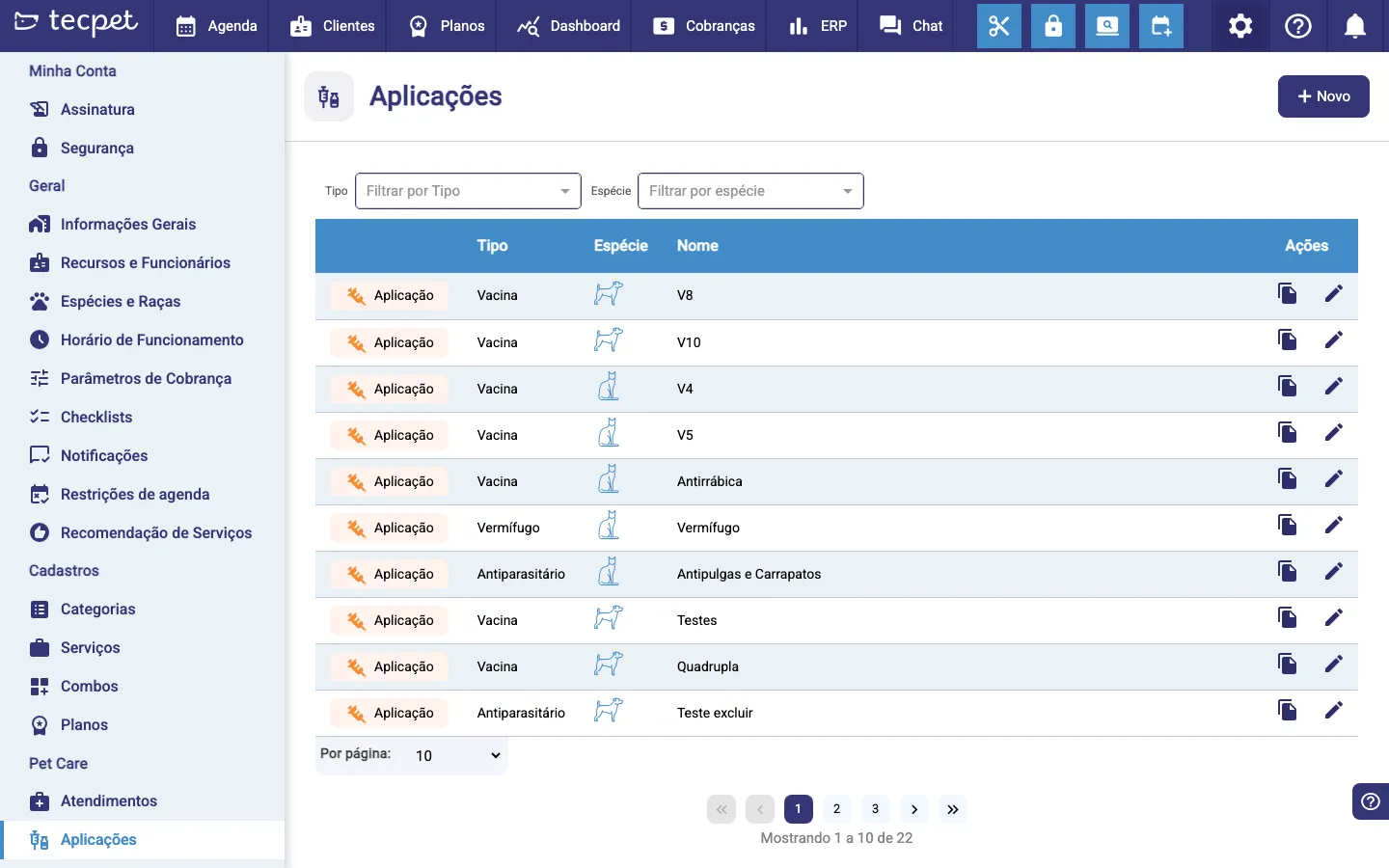
Under Settings → Pet Care → Applications is your clinic’s application catalog: everything you apply to pets. Once registered here, you log each application in the pet’s chart and track upcoming doses.
Who reminds the owner about the next vaccine dose? #

The dose came due. Nobody warned them.
Every forgotten dose is a pet that won't return, and revenue quietly leaking.
“The owner didn't choose to disappear. They just forgot, and no one reminded them in time.”
You gave the first dose, explained the interval, and trusted the owner to come back. But the owner's life is busy, their calendar doesn't hold your clinic's protocol, and the next dose slips. By the time you notice, it's overdue, or it happened somewhere else. Tracking this in a notebook or the front desk's memory doesn't scale: every pet runs on a different schedule.
With Applications and Vaccines, you register the protocol once (number of doses, interval, and guidance), and when you record the first dose the system already knows when the next ones are due. The reminder goes out automatically on WhatsApp as the date approaches, and the chart instantly shows who is scheduled, overdue, or up to date. The return stops depending on memory, it becomes part of the operation.
Application types
Section titled “Application types”Each item has a type:
- Vaccine (e.g. V8, V10, Rabies);
- Dewormer;
- Antiparasitic (flea and tick);
- Medicine;
- Food.
You also set which species each application is for (dog, cat…), and the system filters it when applying.
Protocol and doses
Section titled “Protocol and doses”An application can have a protocol: the number of doses, the interval (in days) between them and an instruction. When you apply the first dose, the system already knows when the next ones are due. Each dose records date, manufacturer, batch and note.
Automatic WhatsApp reminder
Section titled “Automatic WhatsApp reminder”Each dose can have a reminder: as the next dose approaches, the owner gets an automatic WhatsApp notice. It’s how you bring the pet back for revaccination without calling one by one.
Status in the chart
Section titled “Status in the chart”In the pet’s history, each application shows a status:
- Scheduled: dose set for the future;
- Late: past due and not applied yet;
- Applied: done.
That way the team quickly sees which pets have pending vaccines.