
tecpet credits: what they are and how to buy
Credits are tecpet’s “currency” that powers the platform’s smart features. Whenever you use something driven by artificial intelligence, like the automatic WhatsApp service or creating a pet World Cup Sticker, that feature consumes credits from your balance.
This guide explains, without complications, what credits are, where they come from and how to buy more inside the system.
What credits are, in plain words
Section titled “What credits are, in plain words”Think of credits as tokens you buy and spend inside tecpet. It’s your balance, valid for 12 months, good for the platform’s features:
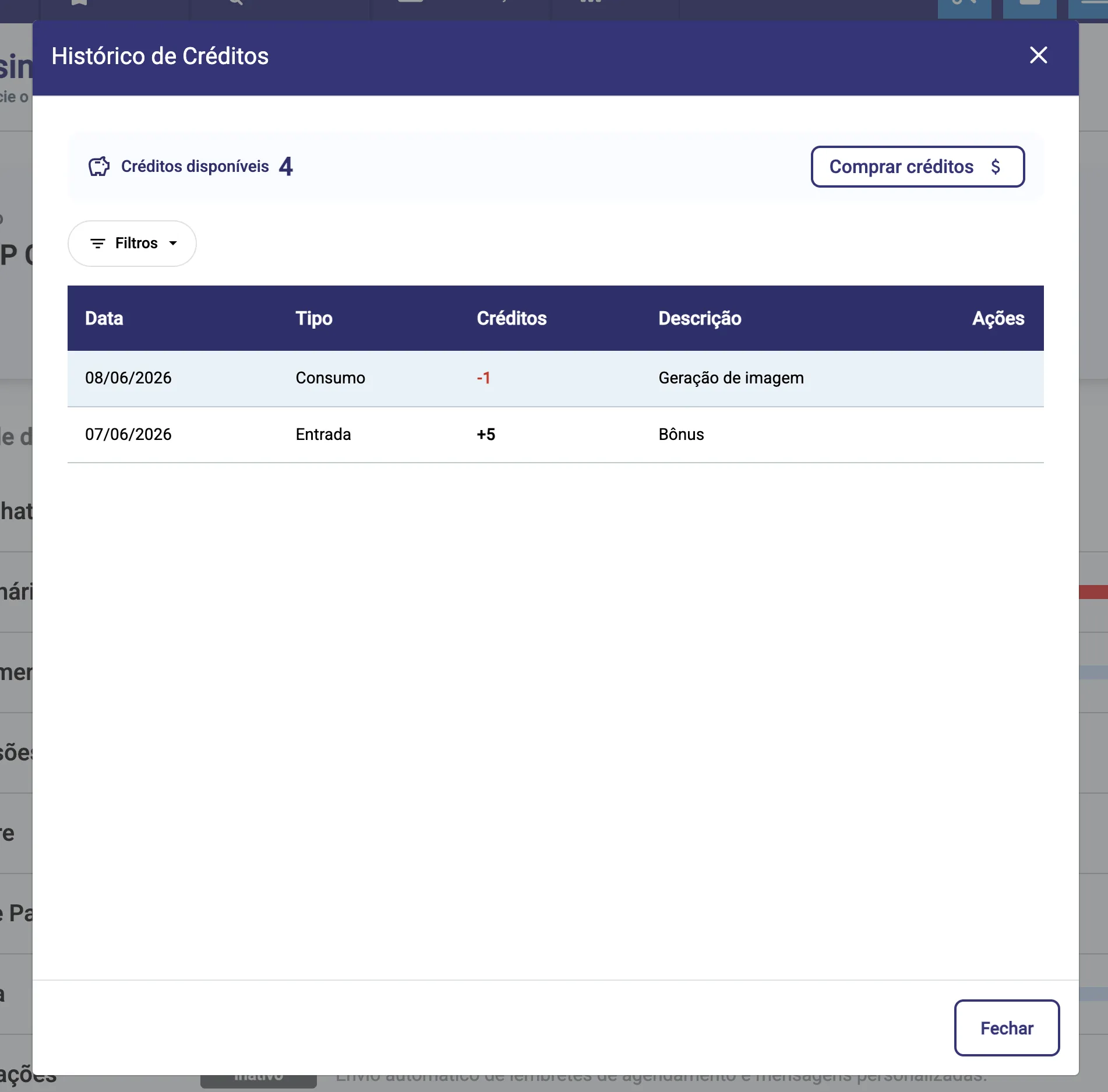
- Generating a sticker of the pet costs 1 credit.
- New features that arrive also spend from this balance. The amount can vary by feature (a sticker costs 1 credit, but other actions may cost differently).
- And, for those with AI, credits also act as a top-up: when the monthly quota runs out, each extra service consumes 1 credit so the AI keeps working.
You have a credit balance, and it goes down as you use these features. When it runs out, just buy more.
Monthly quota and credits are not the same
Section titled “Monthly quota and credits are not the same”This is what confuses people the most:
- Plan’s monthly quota (only for AI customers): the number of AI services included in your plan. It’s exclusively for the AI to serve on WhatsApp, renews monthly and resets (doesn’t roll over). It does not apply to stickers or other actions.
- Credits: the balance you buy. Valid for 12 months, good for stickers and future features, and also tops up the AI when the month’s quota runs out.
In short: stickers and future actions always use credits, never the plan quota. The quota is only for AI services.
What credits are for today
Section titled “What credits are for today”- 🐶 World Cup Sticker: each sticker generated costs 1 credit.
- 🤖 Top-up for tecpet AI: when the plan’s monthly quota runs out, each extra service consumes 1 credit, keeping the AI working 24/7. If credits also run out, the AI stops replying until you buy more (or the quota renews next month).
And the list tends to grow: credits were designed to be the currency for tecpet’s next smart features.
”Additional credits”: what the term means
Section titled “”Additional credits”: what the term means”If you’ve heard of additional credits, it’s the same credit from this page. The name came up because, at first, they only topped up the AI when the monthly quota ran out. Today the use is broader, the same credit works for stickers and new features, so you don’t need AI for them to make sense.
How to track your balance
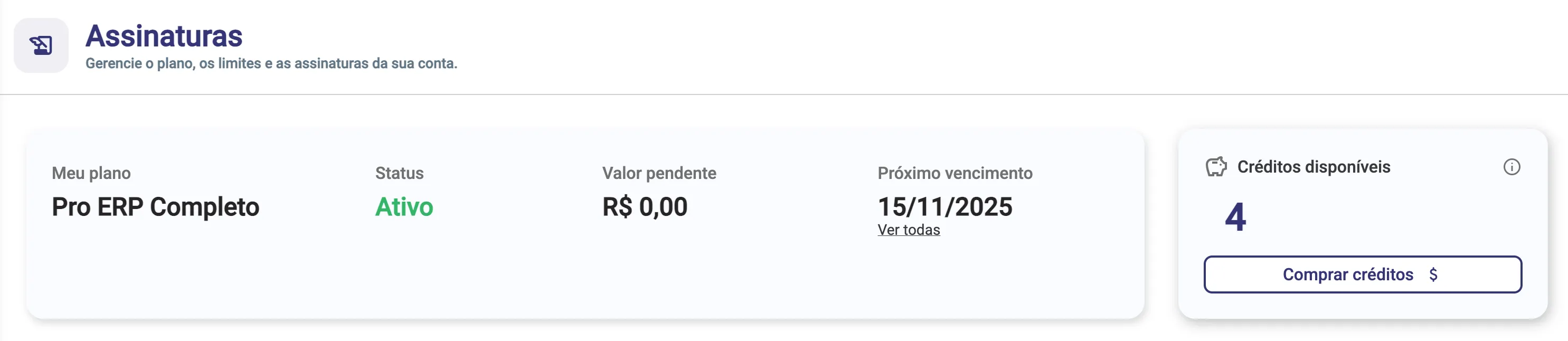
Section titled “How to track your balance”Under the Subscription menu you see your current balance and the usage history (for AI, whether each service came from the monthly quota or used a bought credit).
How to buy credits
Section titled “How to buy credits”- Open the Settings menu.
- Go to Subscription. (The manager’s 6-digit code is required.)
- Click Buy credits.
- Choose the pack that best fits your need.
- Complete the payment.
Once payment is confirmed, the credits land in your balance automatically and you can use the features right away.
Do bought credits expire? Yes, they’re valid for 12 months from purchase. The monthly quota (for AI customers) is different: it resets each month.
Do I need tecpet AI to buy credits? No. Any customer can buy packs and use them in the available features, like stickers.
How much is each sticker? Each sticker costs 1 credit.
Does my plan quota generate stickers? No. The monthly quota is exclusive to AI services on WhatsApp. Stickers and other actions always use credits.
What happens when my credits run out? Credit-based features pause until you buy more. For the AI: while the plan quota lasts, it serves normally; when the quota ends, each extra service consumes 1 credit; and if credits also hit zero, the AI stops replying until you buy a pack or the quota renews.
Who can buy credits? Buying is done in the Subscription menu, with the manager’s 6-digit code.