
Accepted species and breeds
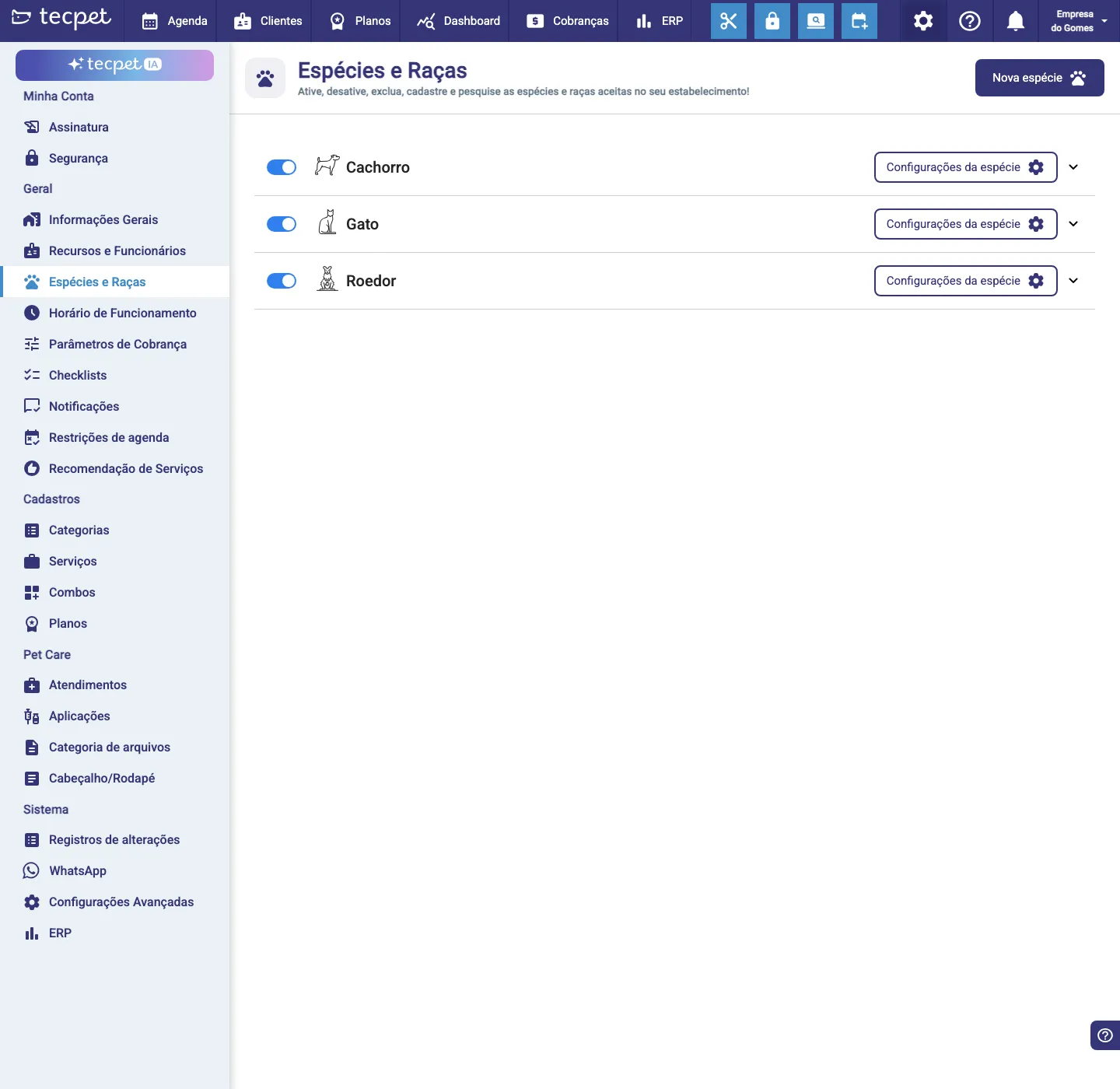
Under Settings → Species and Breeds you define which species your store serves (dog, cat…) and the breeds of each. These lists feed pet registration, pricing and the calendar filters.
Enable or disable a species
Section titled “Enable or disable a species”Each species has a switch. Turn off a species the store doesn’t serve, it stops appearing in pet registration and bookings. Species settings (the gear) opens that species’ settings, and the arrow on the right expands it to view and manage the breeds.
Manage the breeds
Section titled “Manage the breeds”Expand a species (arrow on the right) to see its breeds. There you add, edit or remove breeds. The more complete the list, the better: per-breed pricing and breed search depend on it.
Register a new species
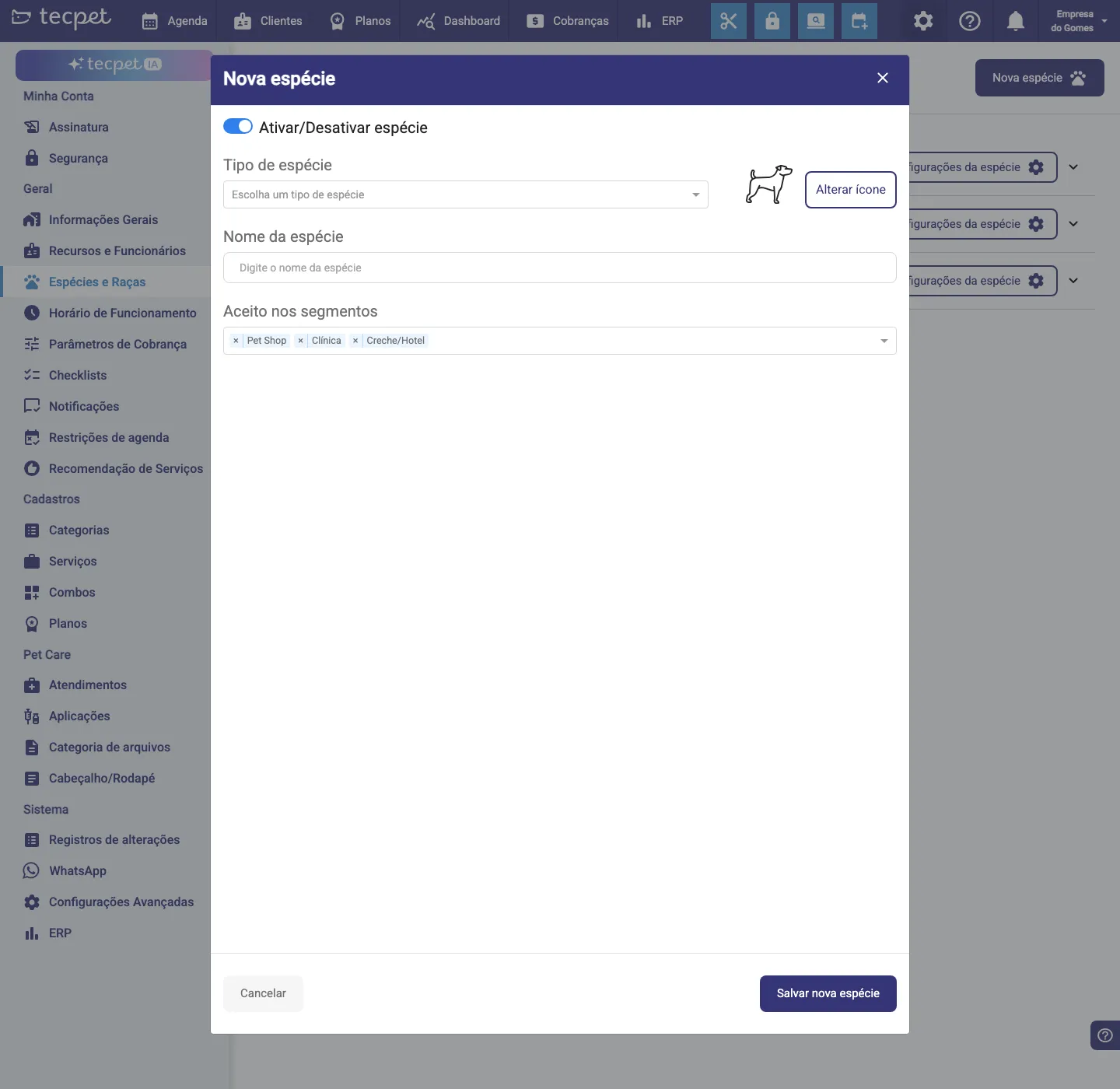
Section titled “Register a new species”Click New species. In the form:
- Enable/Disable species: starts enabled;
- Species type: pick the type;
- Species name and Change icon;
- Accepted in segments: which segments (Pet Shop, Clinic, Daycare/Hotel) the species applies to.
Click Save new species.
See also
Section titled “See also” Was this helpful? Thanks for your feedback!