Billing parameters
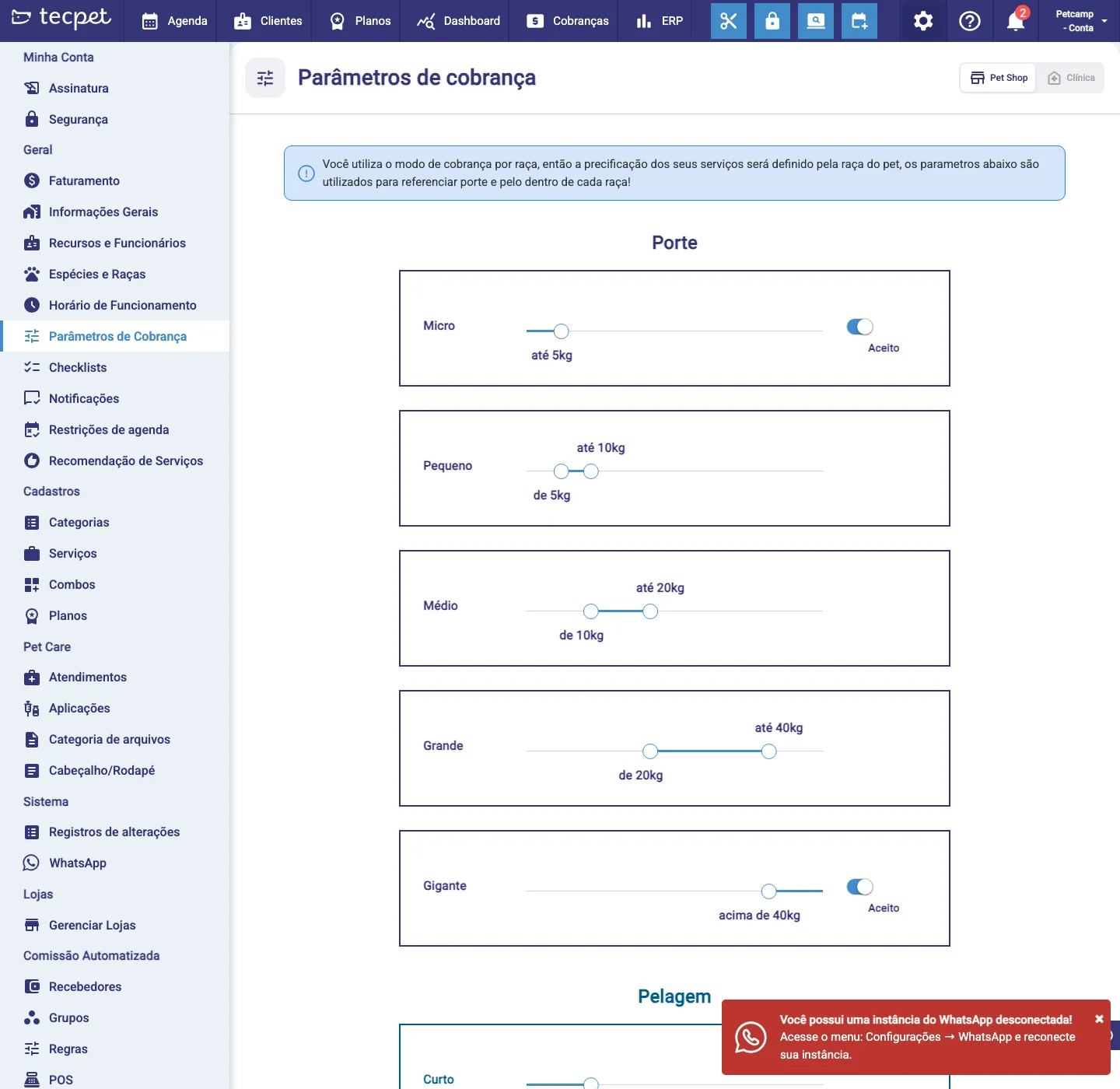
Under Settings → Billing Parameters you define how the system classifies each pet into a size and a coat. This is the basis of size+coat pricing.
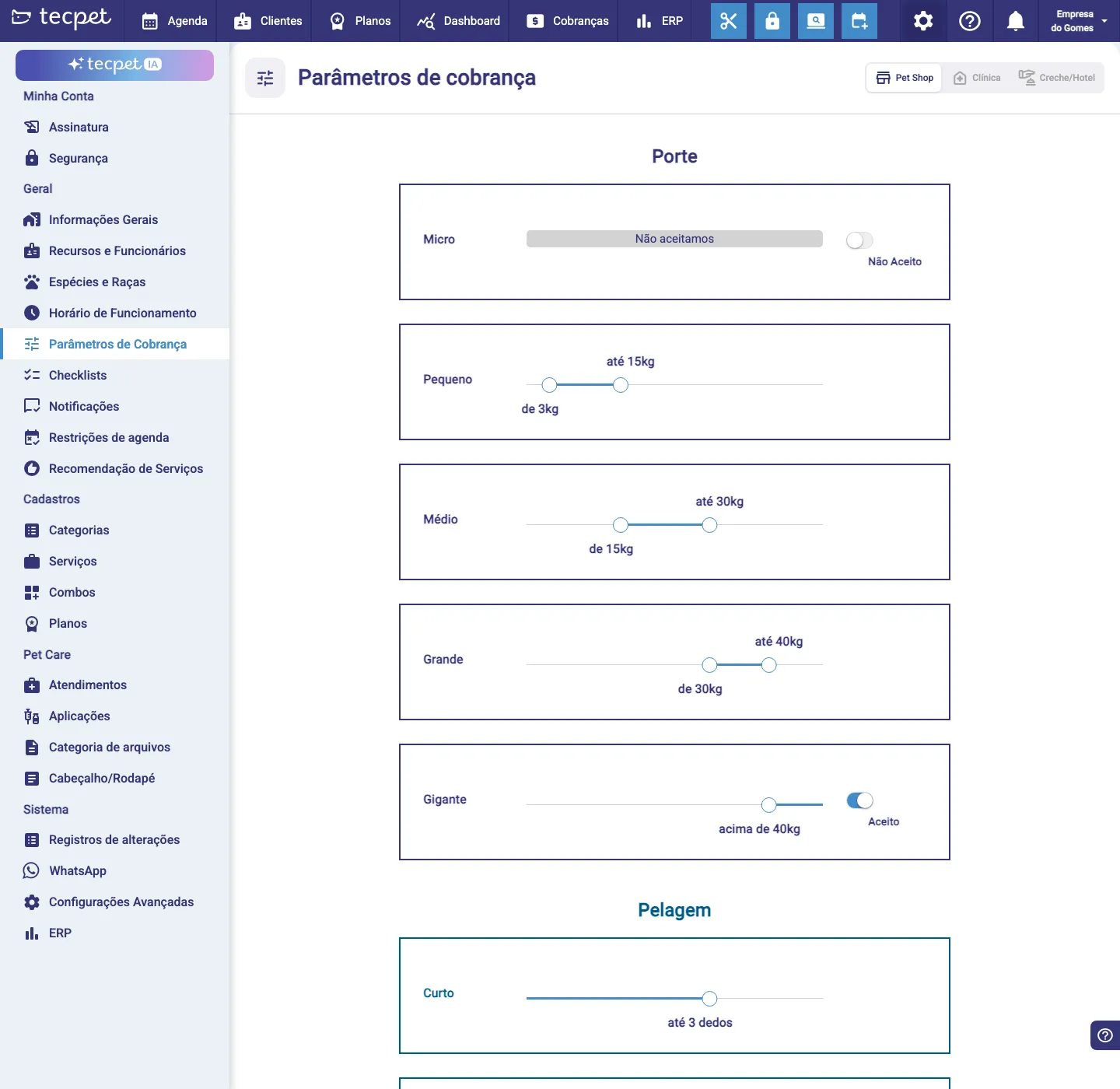
Size (weight ranges)
Section titled “Size (weight ranges)”For each size you set the weight range with the slider:
- Micro, Small, Medium, Big and Giant (e.g. Small from 3kg to 15kg, Medium from 15kg to 30kg…).
- Each size has an Accepted / Not accepted switch, turn off a size the store doesn’t serve.
The pet’s weight (on the pet record) automatically falls into the right size.
Coat (length)
Section titled “Coat (length)”Below, set the length of each Coat (Short, Medium, Long, e.g. Short up to 3 fingers). Together with the size, the coat completes the combination used in the service’s price table.
Adjust the ranges to fit your business and save. Changing a range re-classifies pets, check the price impact first.
The role of these parameters by billing mode
Section titled “The role of these parameters by billing mode”Your store charges by size & coat, so these parameters define the price: the weight range places the pet in a Size and the length sets the Coat, and the service table uses that combination.
By breed
Your store charges by breed, so the price comes from the pet’s breed. Here the size and coat ranges are only reference (a notice at the top reminds you), they don’t set the price directly.